

Ugee Drawing Tablet
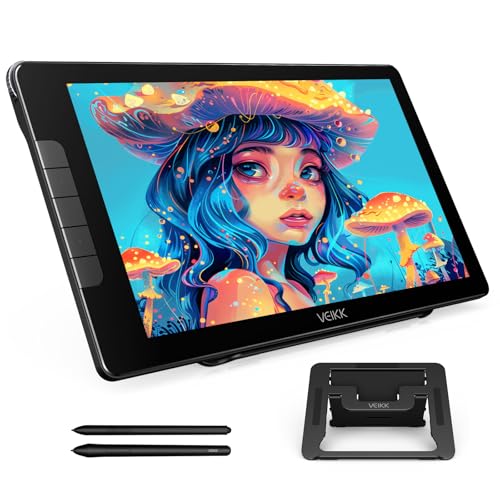
VEIKK Studio 16 Drawing Tablet with Screen Bestseller for Artists and Illustrators in the US 15.6 Inch Pen Display with
Description
In-Depth Specifications
Immersive Visual Experience
Experience vivid clarity with the Studio 16 drawing tablet with screen, featuring a 15.6-inch full-laminated screen and anti-glare glass. Every stroke and detail of your artwork comes to life with vibrant precision. The anti-fingerprint coating ensures a clean workspace, reducing the need for frequent cleaning.
True-to-Life Color Accuracy
The Studio 16 monitor boasts a remarkable 125% sRGB color gamut. Whether you're in graphic design, digital illustration, or photo editing, your artwork will shine with rich, lifelike hues. True-to-life colors bring your visions to life.
16K Precision Pen Performance
Unlock unparalleled drawing precision with the battery-free pen. Offering 16,384 pressure levels and 60° tilt recognition, the pen delivers a natural and responsive experience. Customize side buttons to assign shortcuts, improving your workflow. The Studio 16 pen display includes two pens, designed for slim and thicker hands, ensuring a perfect fit for every artist.
Enhanced Workflow with Customization
Maximize efficiency with 5 customizable shortcut keys and 1 Quick Dial on the Studio 16 drawing tablet. Easily access favorite tools, brush settings, or zoom controls, streamlining your creative process. Focus on bringing your ideas to life without distractions.
Adjustable Stand S100
The adjustable stand offers 3 different height settings, allowing you to find the perfect working angle. Enhanced comfort and reduced neck, shoulder, and back strain during long creative sessions.
Simplified Connectivity
Enjoy hassle-free connectivity with the Studio 16 graphic tablet with screen. The included 3-in-1 USB-C cable provides a cleaner and more organized connection. Compatible with devices featuring HDMI & USB ports or just a USB-C port, connect your Studio 16 effortlessly and start creating right away.
Compatibility with Multiple Systems
The Studio 16 drawing pad with screen works seamlessly with various systems, including Windows 7 and later, macOS 10.12 and above, and Linux. Use popular drawing software like Photoshop, Krita, MediBang, and Clip Studio Paint.
Warm Tips
The Studio 16 pen display is not a standalone product; it must be connected to a computer/laptop to function. VEIKK offers a one-year hardware service and free driver updates, ensuring your tablet remains in optimal condition. Our dedicated support team is always available to help.


